Build the week in minutes, not evenings.
A grid of people and days. Click to add a shift, drag to move it, publish when it is right.
Free for 30 days. No account needed.
4.4 · 121 ratings on the US App Store
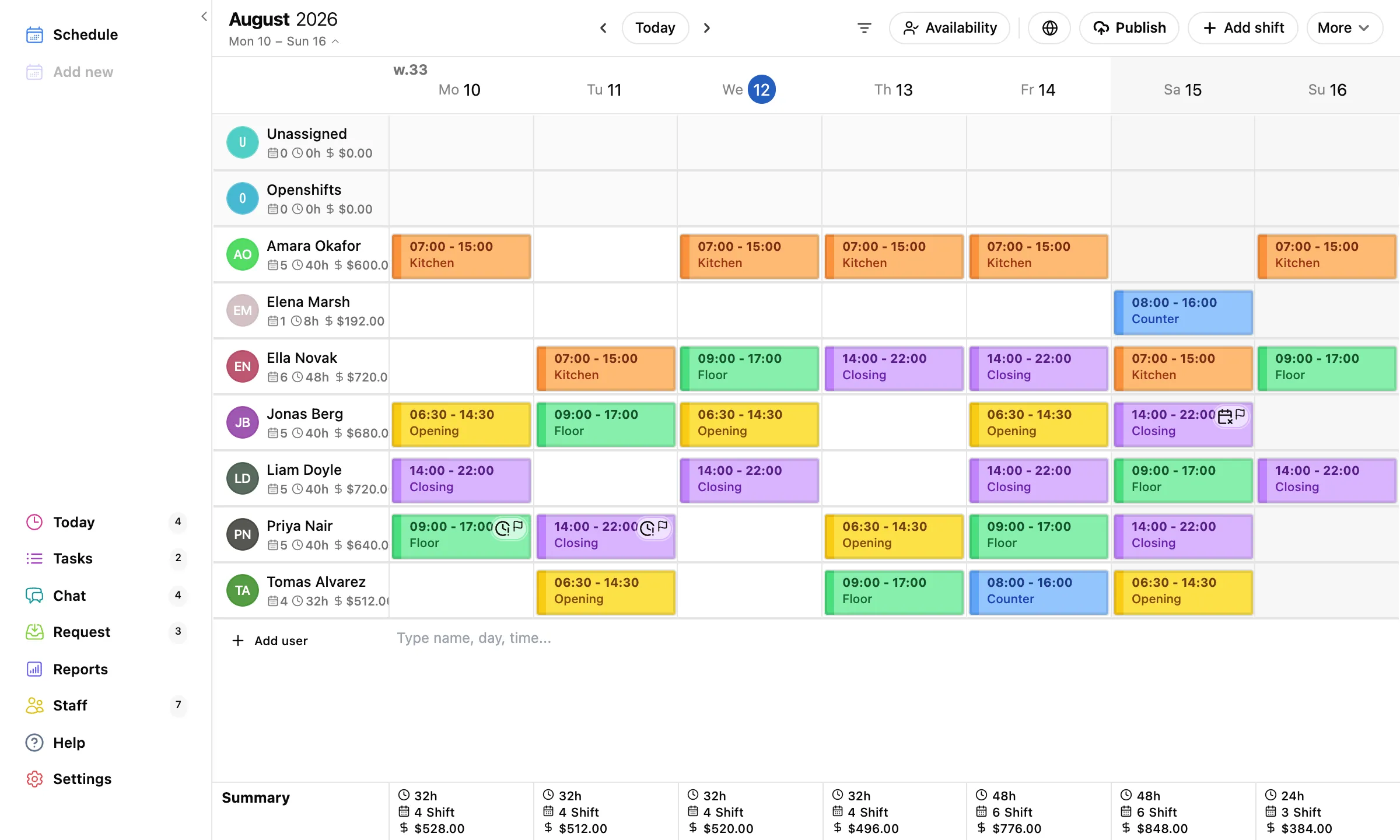
Your whole team, one screen.
Rows are people, columns are days.
Every shift shows its time, its role, and its color. Drag a shift to another day or person. View one week or several at once, filter to just the people you are planning, and sort rows your way.
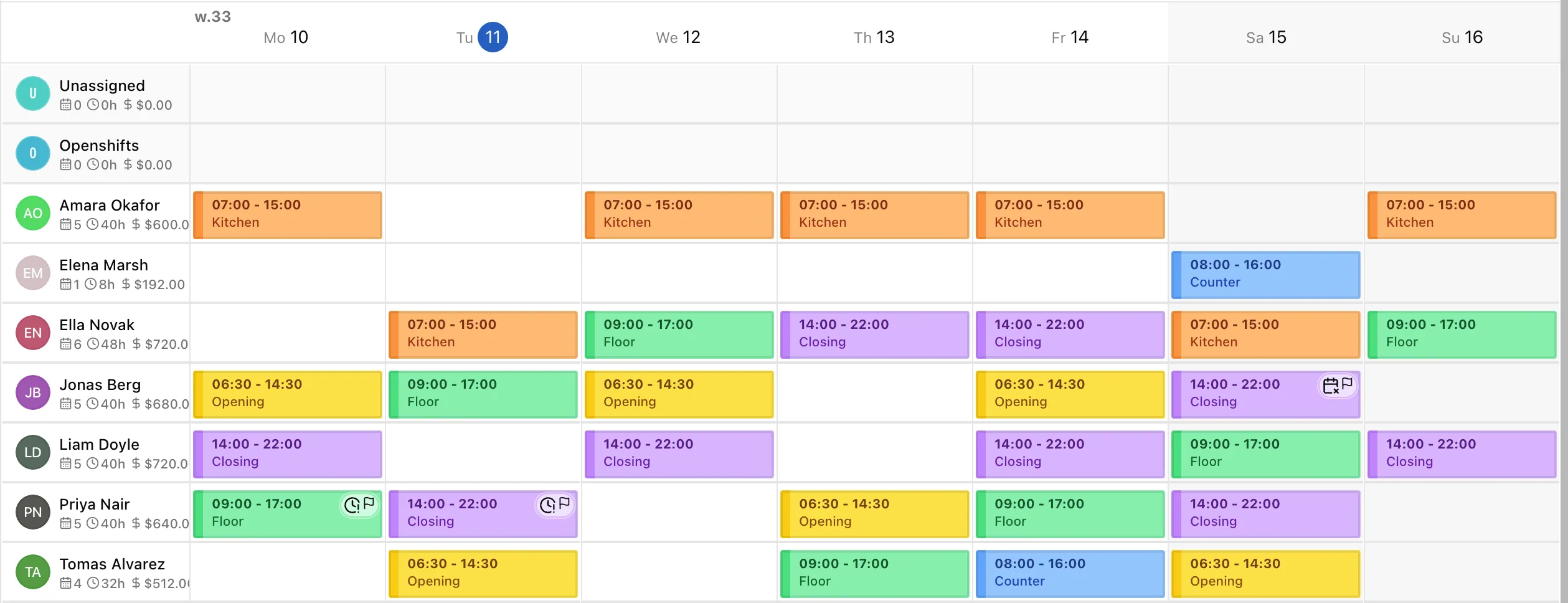
Type it, and the shift exists.
The fastest way to schedule is a line of text.
Type a name, day, and time straight into the grid and TimeTo.Work turns it into a shift. Need next week to look like this week? Copy the whole week and paste it, sort order and all.

Staff only see what you publish.
Plan in peace, publish when it is final.
Unpublished shifts stay your draft. When the week is ready, one click publishes it and notifies the team. Change of plans later? Edit and publish again; phones update themselves.

See who can work before you plan them.
Availability shows up right on the grid.
The schedule you publish is one that survives contact with reality, because you saw who could work before you planned them.
- Marked from their phone
- Staff set unavailable days, vacation, or a wish for more hours themselves.
- Visible while you plan
- Availability overlays the grid, plus a month calendar per person.
- Open shifts fill gaps
- Post a shift anyone can take and let the team cover it for you.

Know what the week costs before it happens.
Hours and labor cost, per day, at the bottom of every column.
Give people an hourly wage and the grid keeps a running total. Saturday creeping past budget? You see it while you can still fix it, not on the payroll report.

Publish once, reach every screen.
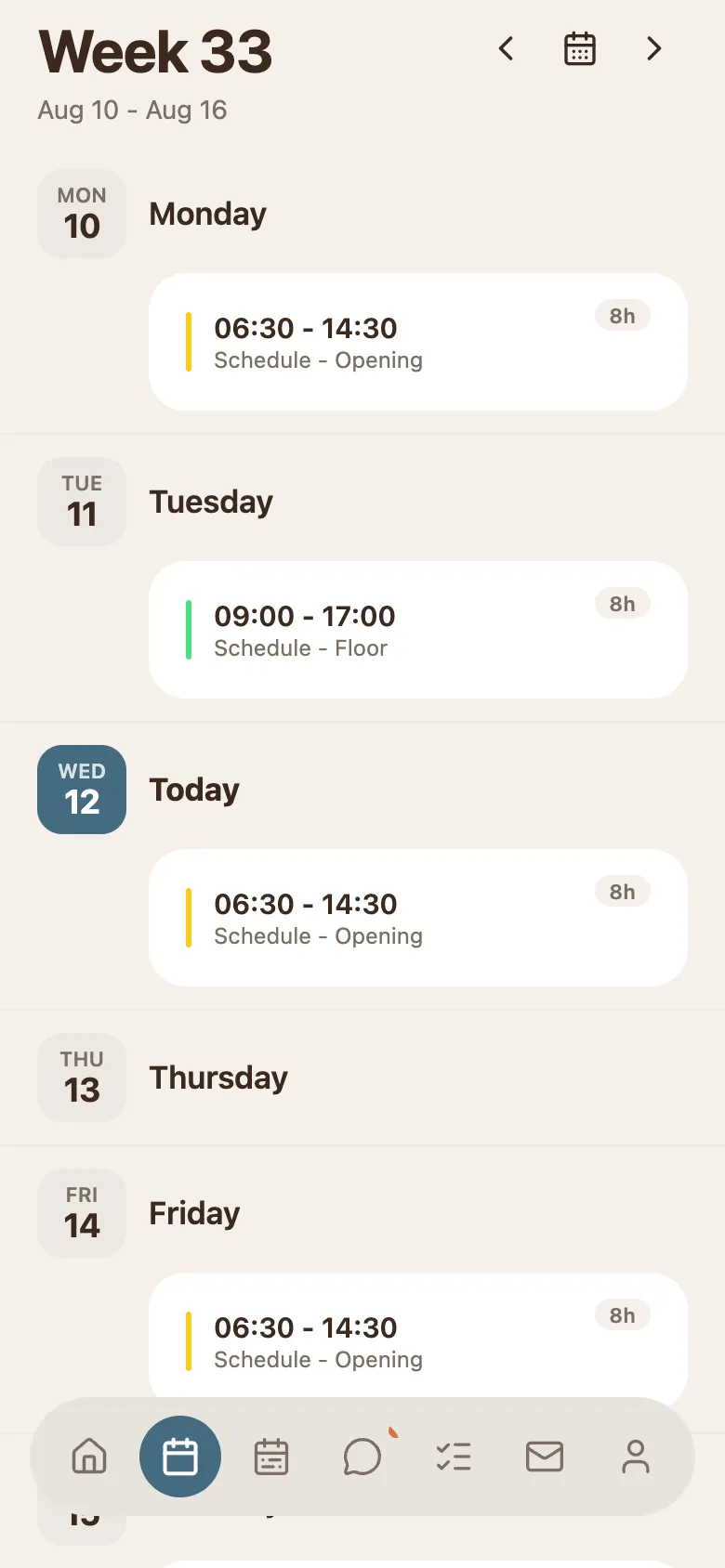
Push notifications, calendar feeds, a link, or paper.
- The apps
- Native apps for iPhone and Android, plus Mac and the web.
- Calendar feeds
- Everyone can subscribe to their own shifts from their own calendar.
- A read-only link
- Share the whole schedule with anyone, no app needed.
- And yes, it prints beautifully.
The next schedule is the easiest one.
Free for 30 days. No email, no credit card.