
Schedule changes without the phone calls.
Swaps, sick days, and time changes arrive as tidy requests you approve in one tap.
Free for 30 days. No account needed.
4.4 · 121 ratings on the US App Store
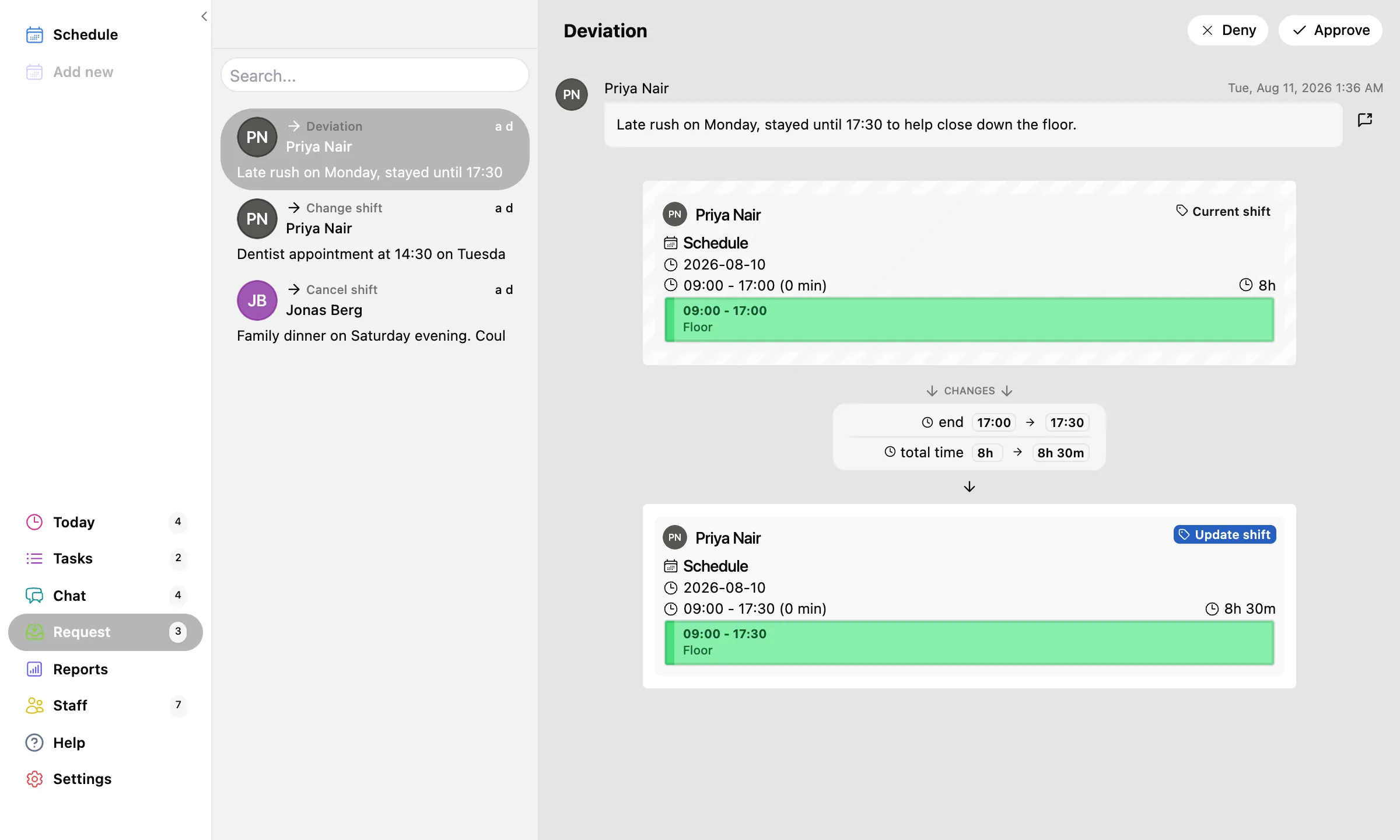
However the plan changes, there is a request for it.
Staff ask from their phone; you decide from anywhere.
Swap a shift with a coworker. Ask to start later. Call in sick. Take an open shift. Report that yesterday ran 30 minutes long. Each one is a request with the details attached, not a voicemail.
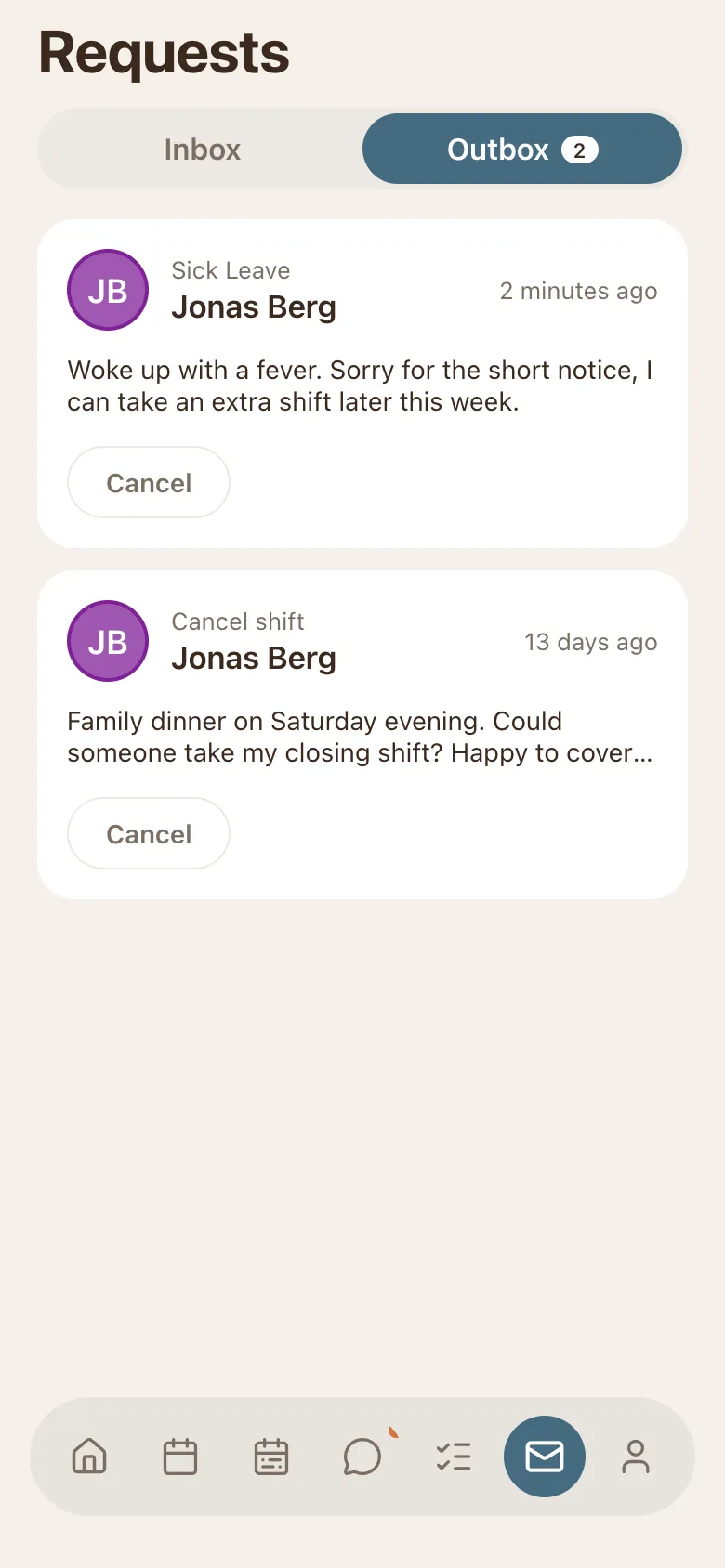
See exactly what changes before you say yes.
Old shift and new shift, side by side.
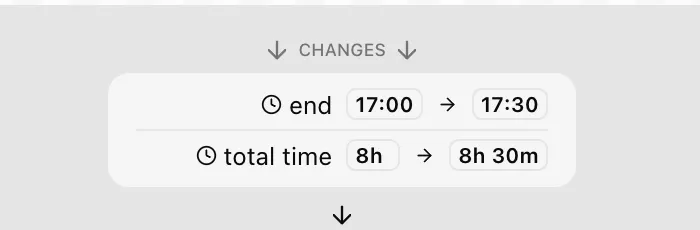
A request shows the current shift, the proposed one, and precisely what moves: end 17:00 becomes 17:30, total 8h becomes 8h 30m. Approve or deny in one tap; the schedule and the phones update themselves.
Let the routine approve itself.
Auto-approval, per request type, you switch each one.
Happy for swaps to sort themselves out but want sick days on your desk? Turn auto-approve on per type.
- Per-type rules
- Auto-approve swaps, keep sick days on your desk. Each request type has its own switch.
- Offer a shift
- Need cover fast? Offer the shift to chosen staff and the first to accept takes it.
Know before you plan.
Staff mark when they can, cannot, or want to work.
Unavailable Tuesday, vacation in July, wants more hours in August. It shows on the schedule grid while you build the week and in a month calendar per person, so the schedule you publish is one that survives contact with reality.
The schedule that handles its own changes.
Free for 30 days. No email, no credit card.