
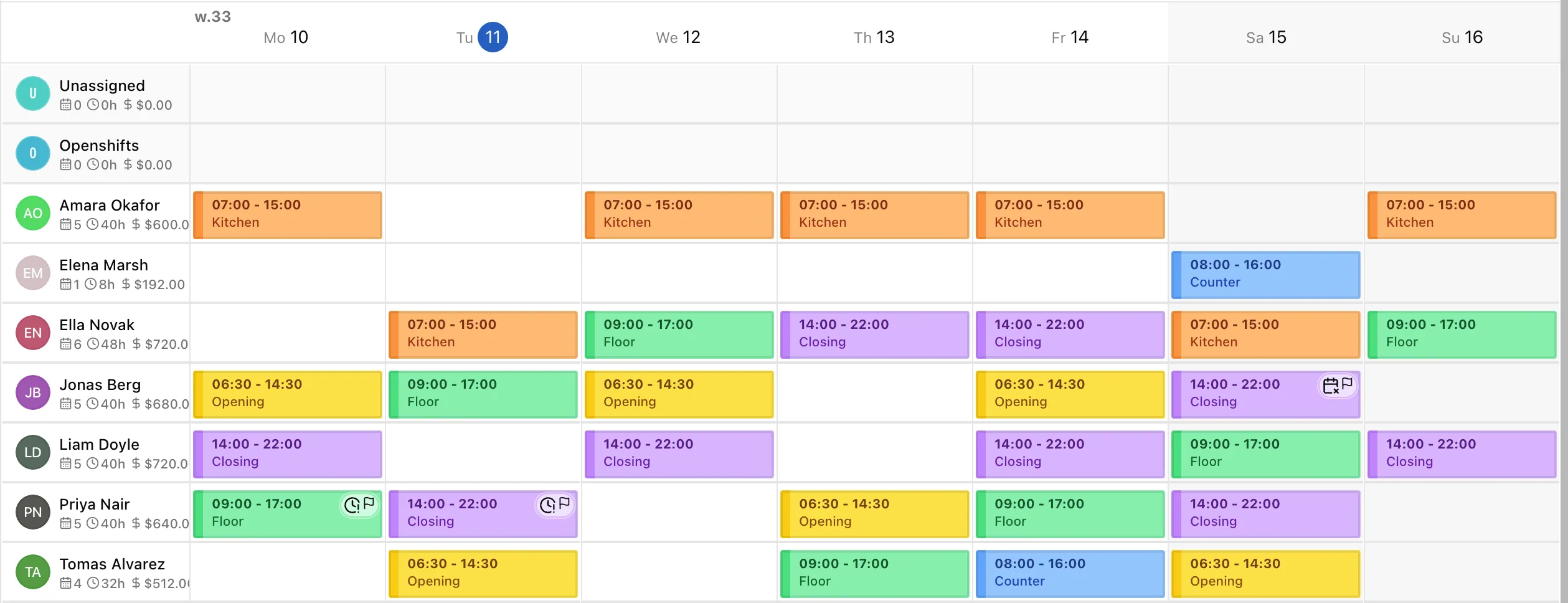
A week you can read at a glance.
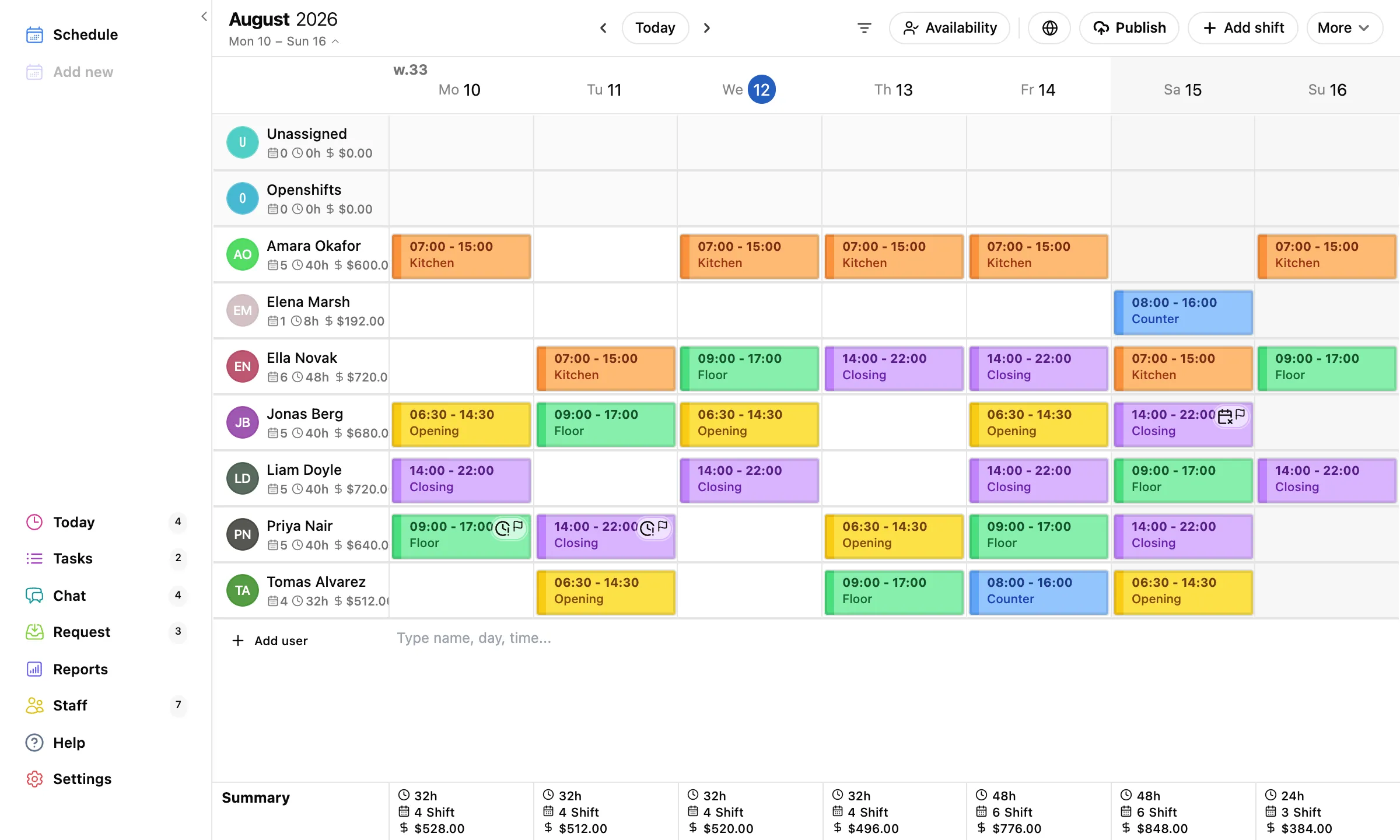
Give Opening, Kitchen, and Closing their own colors and the grid becomes a picture. Post open shifts anyone can take. If someone is double-booked, TimeTo.Work warns you before your staff does.
Used by over 900 companies since 2019
TimeTo.Work is the staff scheduling app for cafes, shops, salons, clinics, and any team that runs on shifts. Build the week in minutes, hit publish, and every phone is up to date.
Free for 30 days. No email, no credit card, no account.
4.4 · 121 ratings on the US App Store
Start free, no account needed
iPhone, Android, Mac and web
$2 per active user per 30 days
If your week runs on shifts, this is built for it.
No head office required, no HR department, no setup project.
No setup project. No training. The first schedule takes minutes.
Type their names, or invite them by email or SMS. They get the app, you get their availability.

Click a cell to add a shift, drag to move it, copy last week when the pattern repeats.

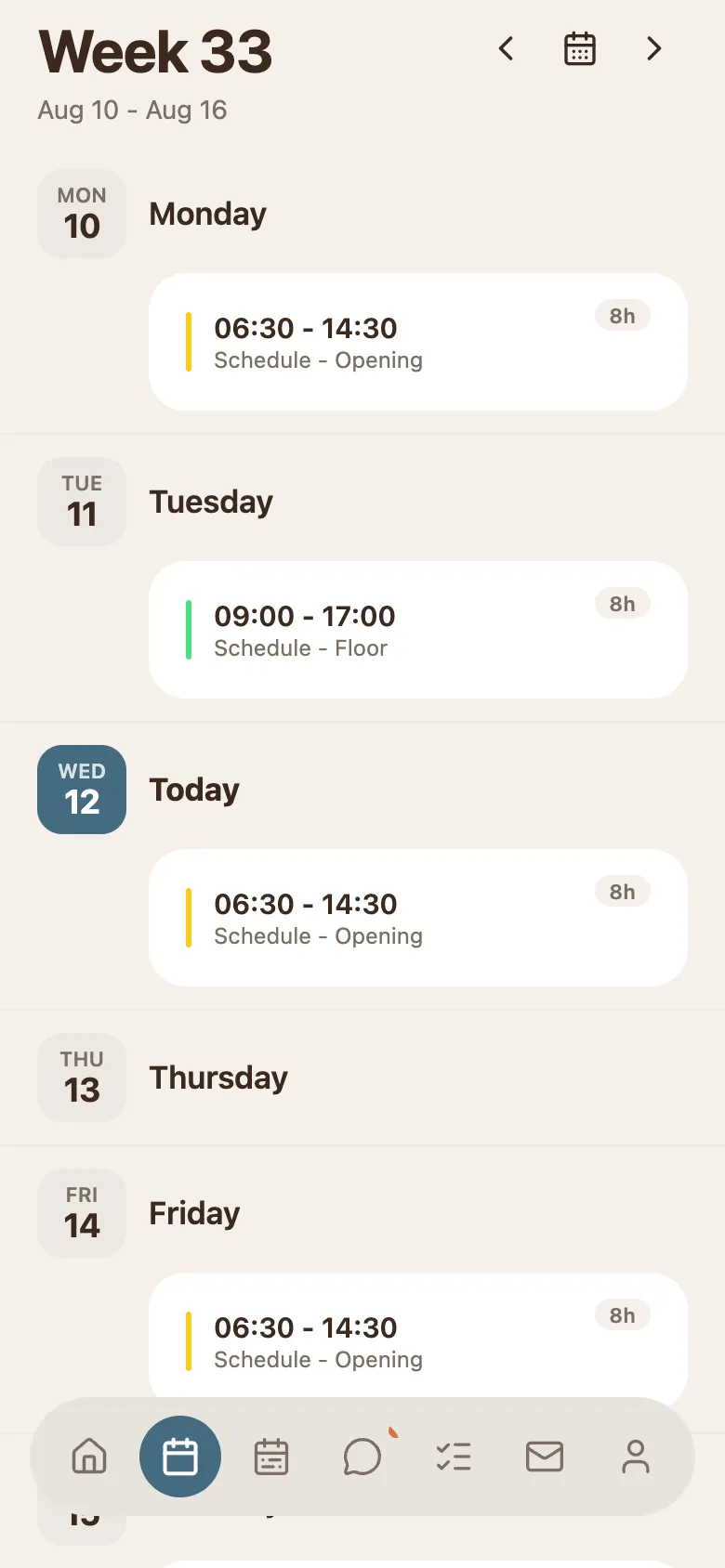
Staff see only what you publish. The moment you do, their phones light up.

Scheduling, the phones it lands on, the conversation around it, and the changes it goes through.
Give Opening, Kitchen, and Closing their own colors and the grid becomes a picture. Post open shifts anyone can take. If someone is double-booked, TimeTo.Work warns you before your staff does.
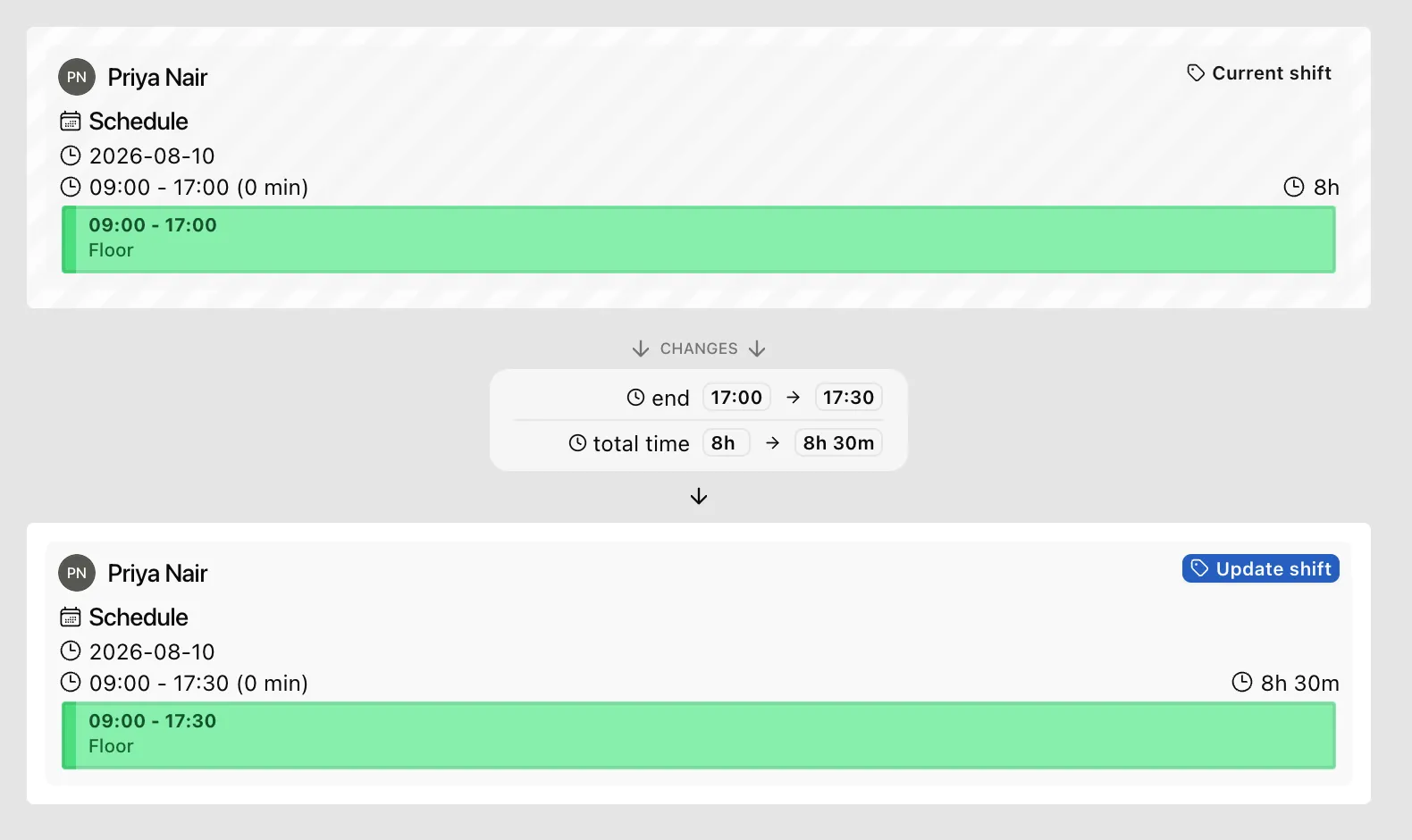
Swaps, sick days, and time changes arrive as requests, not phone calls. You see exactly what changes, old shift next to new, and tap Approve.
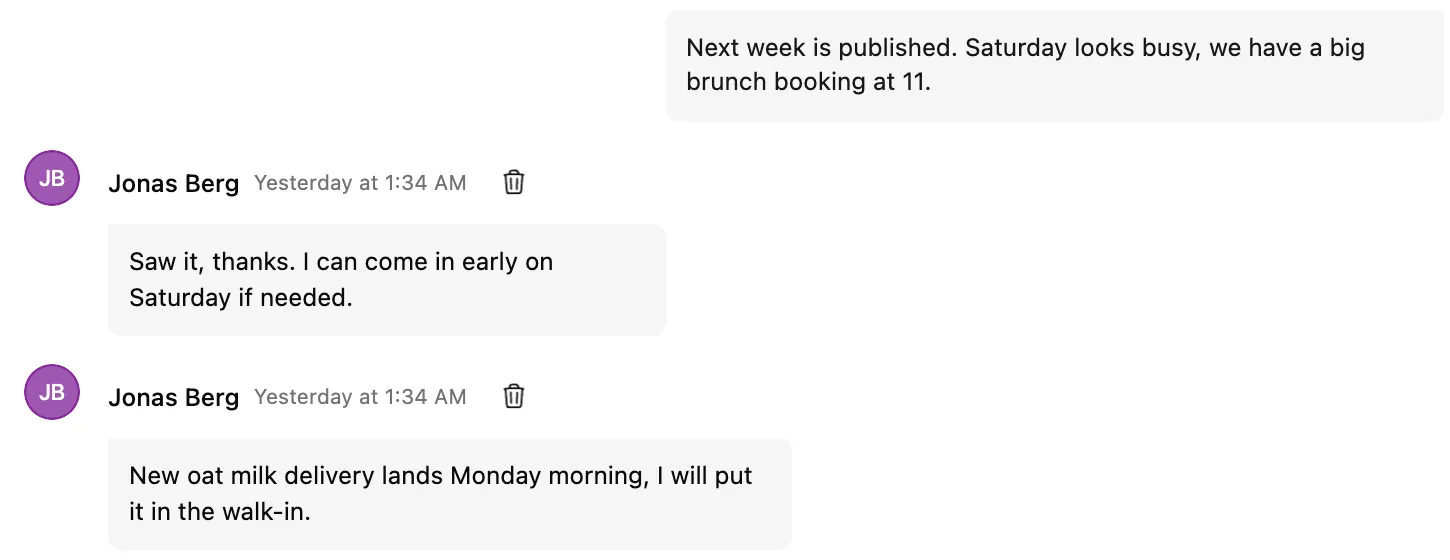
"Saturday looks busy" belongs where the Saturday schedule is, not in a WhatsApp group with last year's memes. Messages reach every device, with unread badges that actually clear.
Publish once. Every phone is current. No printouts taped to the wall, no screenshots of a spreadsheet in a group chat.
Real reviews, word for word from the App Store. From a sales force of fifty to a medical practice.
“I can now seamlessly and cost effectively manage a sales force of 50+. Highly recommend.”
“I run a medical practice and this helps with nursing, tech, per diem staff scheduling. Easy to use and saves time!”
“I really enjoy the ease and functionality of this app. Makes scheduling a breeze.”
Open the live demo and click around a real schedule. Nothing to install, no account, nothing to cancel.
If it is wrong for your team, we would rather you found out in two minutes than in month three.
We compared nine scheduling apps before building this page. Here is the honest split.
One product, one price.
The pattern across the nine we compared.
They open the app to their own week, not the whole team, and there is nothing to learn. If someone will not install an app, send them the read-only link or the calendar feed and their shifts still arrive.
Minutes. Type your people in, or invite them by email or SMS, and start filling the week. There is no setup project, no onboarding call, and no training.
The first 30 days are free with no card and no email. After that it is $2 per active user per 30 days, everything included. Ten people on the schedule is $20.
Stop. There is no subscription, no cancellation page, and no invoice chasing you. Your account locks when the credit runs out and unlocks if you ever come back.
Yes. Pick a date range and export hours and cost per person to Excel, or a payroll CSV split into regular, overtime, double time, vacation, and sick.
No. There is no punch clock, no payroll processing, and no integrations. It does scheduling, team communication, and the reports that make payroll easy, on purpose.
Start now, invite your team when you are ready.
Free for 30 days. No email, no credit card.